

Starrun Compatible LCD Displays
Starrun Compatible LCD Displays
Couldn't load pickup availability
Compatibility
Compatibility
Simply flip over your original display. If it says "Yolin" on the back, it's an original Yolin product. Since we made it, your specific display data is already in our system.
Most compatibility issues arise because sellers offer generic "universal" displays that fail to communicate with your specific e-bike controller.
Why Buy from Yolin?
Why Buy from Yolin?
- Original Yolin Display Manufacturer
- Direct firmware-level compatibility
- Access to protocol database
- Technical support for configuration
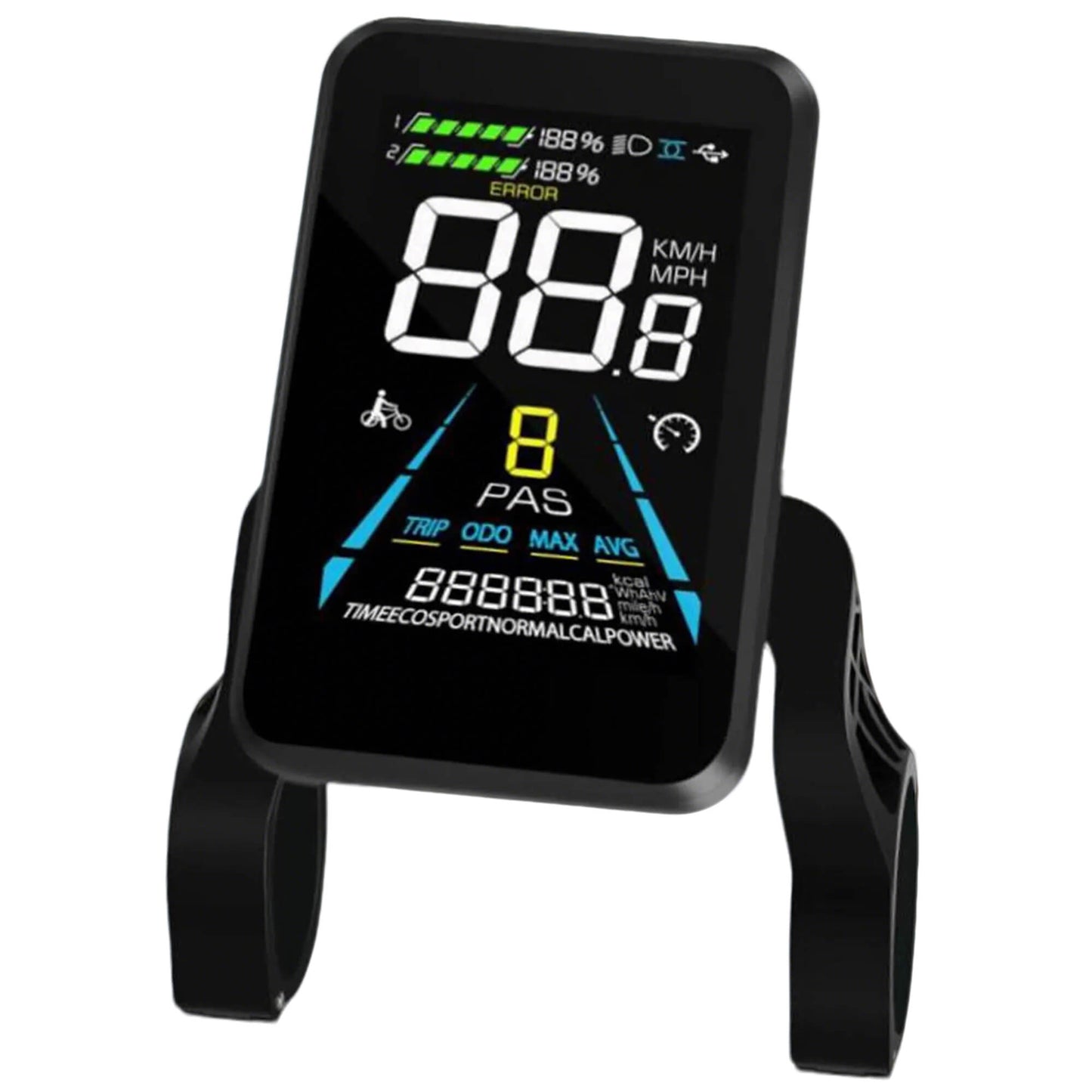
The Yolin YL-81F Color LCD E-Bike Display is the original display platform used across all major Starrun electric bike models. If your Starrun display has failed, shows error codes, or no longer powers on, this is the correct OEM-level replacement. Unlike generic aftermarket displays, YL-81F is supported directly by the original component manufacturer.
Guaranteed Starrun Compatibility — Or Your Money Back
✔ Compatible with all Starrun e-bike models
✔ Matched by wiring, firmware, and protocol — not guesswork
✔ If it doesn’t match your Starrun bike, we offer a 100% full refund — no questions asked
We would rather confirm compatibility upfront than leave you with a non-working display.
Specifications
| Model | Yolin YL81F LCD E-Bike Display |
| Compatibility | Starrun S20, R20, and all other Starrun e-bike models. |
| System Voltage | 48V |
| Plug | 5-pin connector |
| Protocol | UART No. 1/ UART No. 2 / 5s protocol |
| Operating Temperature | -4°F to 140°F (-20°C to 60°C) |
| Storage Temperature | -30°C to 70°C |
| Functions | Speed, battery level, trip/ODO, PAS control, walk assist, error code, cruise control(optional) |
| What’s in the Box | Display, control pad, mounting hardware |
Share

Need Help with Error Codes?
If you are replacing a display due to an error code, review:
- Yolin Display Error Code Guide
- Error 30 (Communication Error) Explained
- Error 30 Troubleshooting Flow
- Yolin Display Password Recovery Guide
FAQS
How do I know if this display will work with my e-bike?
The easiest way to check is to look at your original display. If you see "Yolin" on the back, that means it's our product. As the original manufacturer, we already have your display's information in our database.
If you no longer have the old display, just send us your e-bike model or controller model, and we’ll check compatibility for you.
Is this plug and play?
Yes, it is Plug and Play. We handle all the technical programming here so you don't have to. There is no need to connect to a computer or change any settings. Just install the display, plug in the connectors, and you are good to go!
What if the display isn't compatible with my bike? Can I return it?
If the correct original display code is provided and the display is defective or fails to work due to a manufacturing fault on our end, a full refund will be issued.
Exclusions:
External Damage: Error codes caused by damaged or malfunctioning e-bike components (e.g., motor, controller, wiring) are not display defects. The display is functioning as intended by alerting the user to external issues, and these cases do not qualify for a refund.
Custom Products: Each display is custom-programmed exclusively for your serial number and cannot be used on other bikes. Because these are 1-on-1 personalized products that cannot be resold, we cannot accept returns due to "change of mind," incorrect codes provided by the customer, or errors caused by other damaged bike parts.
Can I change the speed limit or settings (P-parameters) myself?
Yes, while it comes ready to use, our displays allow you to access basic settings (like wheel size, speed limits, or pass-voltage) directly through the menu. We can provide a manual if needed.
Can I choose a specific connector type?
Absolutely! We carry every type of connector. Usually, we send the one that fits your bike's original setup automatically. But if you need a different one, just send us a message before shipping, and we’ll change it for you right away.